


 sales:
  sales:


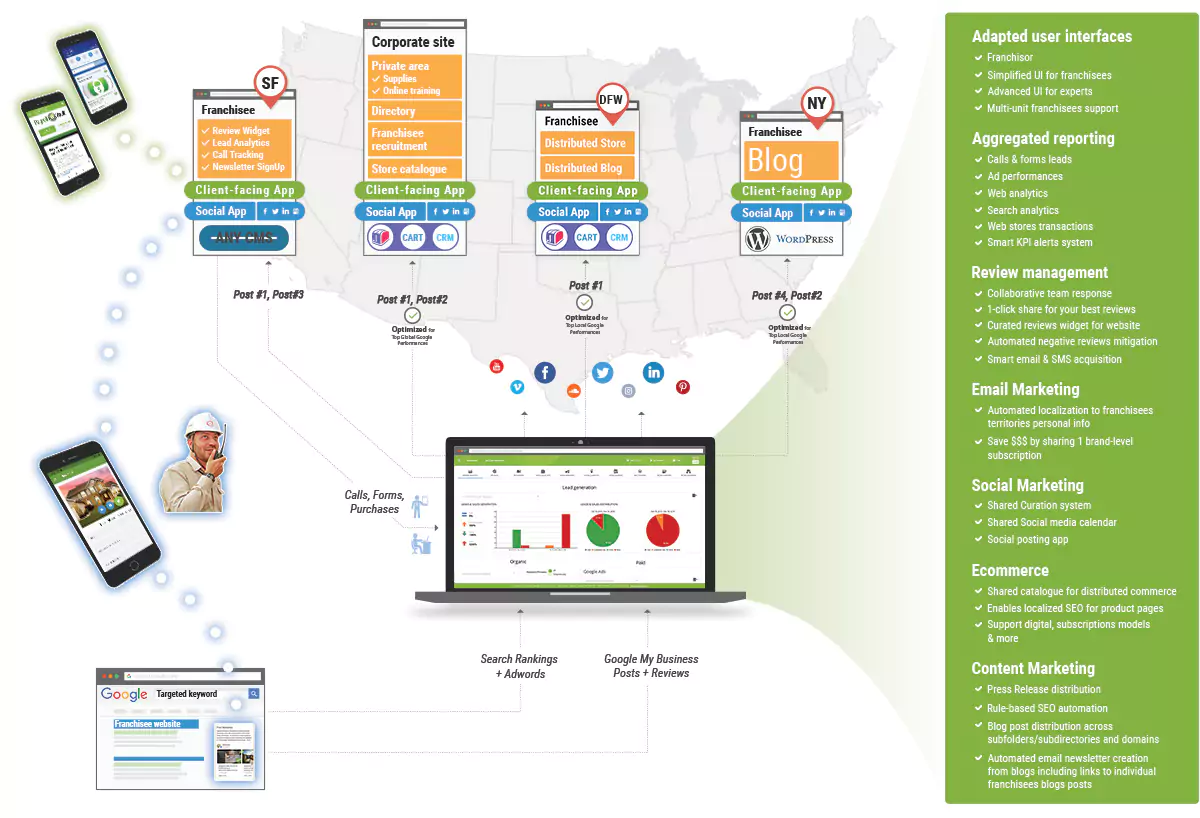
Automate execution and reporting for SEO, social networking and online marketing across any number of websites through a centralized, multi-tenants, cloud-based interface.
Latest Reviews
Reviews
Multi-sites SEO automation
Save time, money and aggravation
Spend less time implementing and analyzing compliance for mundane technical tasks and spend more time on strategy and intelligent tasks.
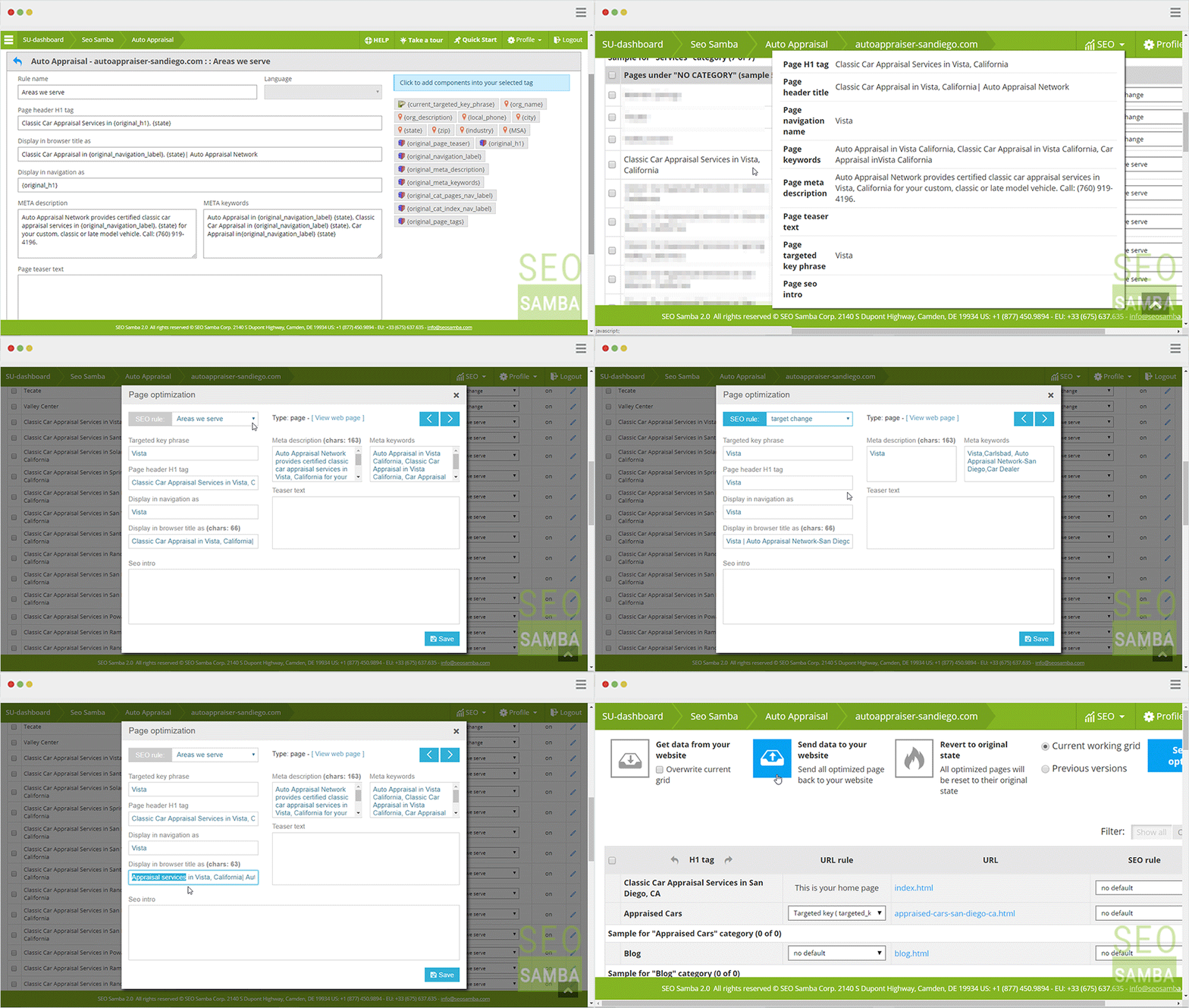
Accurate search rankings from Google
No need to create and manage key-phrases lists
All-in-one dashboard
Get the right blend for your marketing mix
Centralize real-time monitoring on your all-in-one dashboard for your web traffic, social activity, link graph and search engine rankings across all your web sites.
Geolocated local SEO results
Get all your websites on the map
Stiff local or international competition? Deploy your brands and points of presence web sites worldwide and dominate local search results thanks to uniquely localized content powered by our smart rule engine.
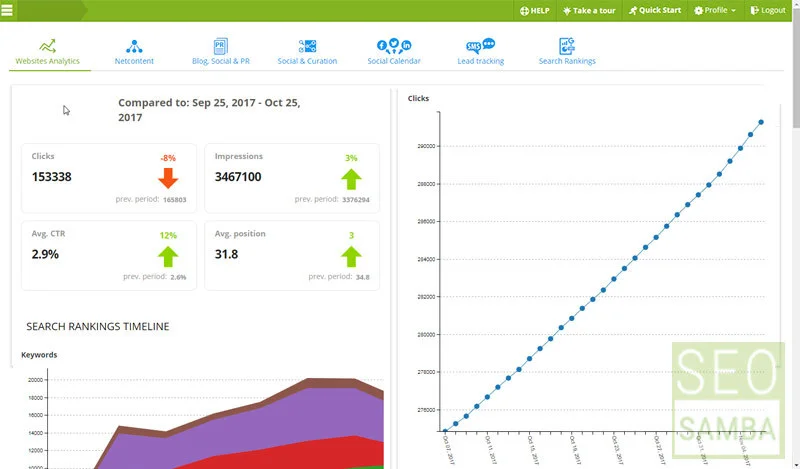
Powerful analytics
Web analytics is good, all-in-one integrated multi-sites analytics is better
SeoSamba's analytics goes well beyond traditional web analytics, providing multisites stats at a glance, full ecommerce dashboard, deep SEO reports as well as social network analytics. All of it 100% customizable, plus on-demand white label for web agencies and SEO consultants.
Introducing SEO as a Service
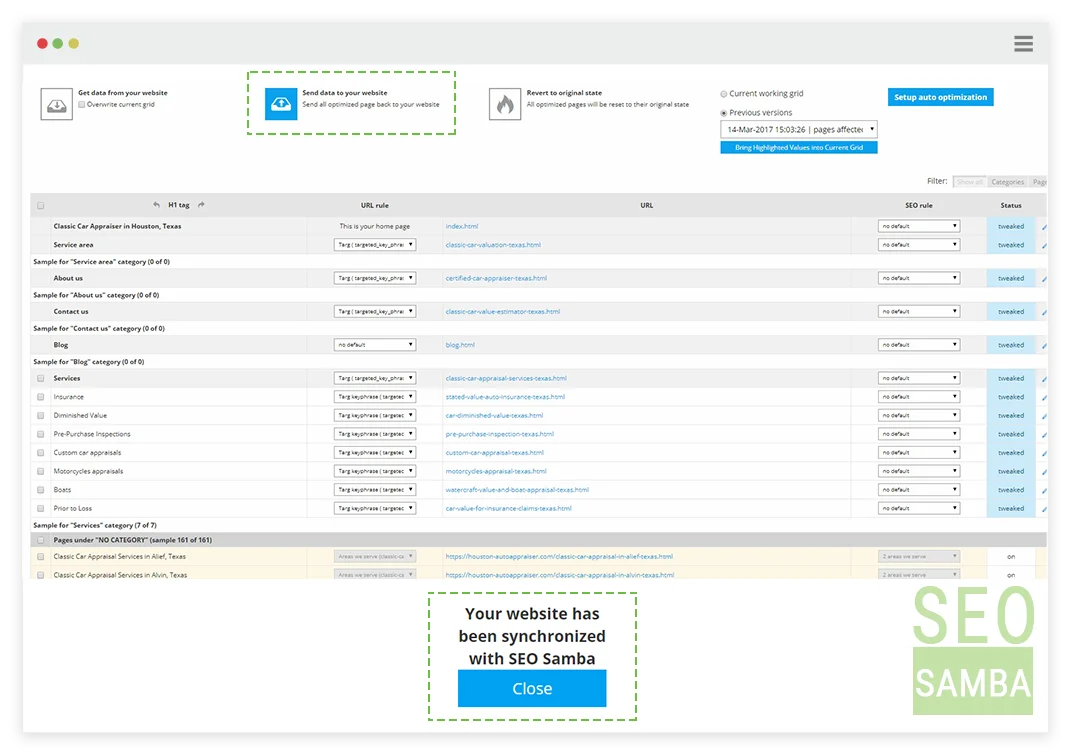
Backup, versioning and reverse to original state
SeoSamba Marketing Operating System automatically saves optimized versions of your websites and let you go back in time to view and restore web pages previous SEO rules, attributes and content.
One partner accountable for it all
